0%

File Download with Axios


1. Background

Axios is a Promise-based HTTP library that works in both the browser and Node.js. It beats traditional Ajax in several ways: Promise API, concurrent requests, request/response interceptors, automatic JSON handling, and XSRF protection. It also fits well with MVVM patterns, which is why it’s the go-to HTTP client in Vue.

The problem is that Axios defaults to treating response data as JSON. When you try to download a file, you get the binary stream back, but Axios can’t process it correctly. What you end up with is:

  • response.status and response.headers look fine, but response.data is garbled
  • The browser doesn’t trigger a download
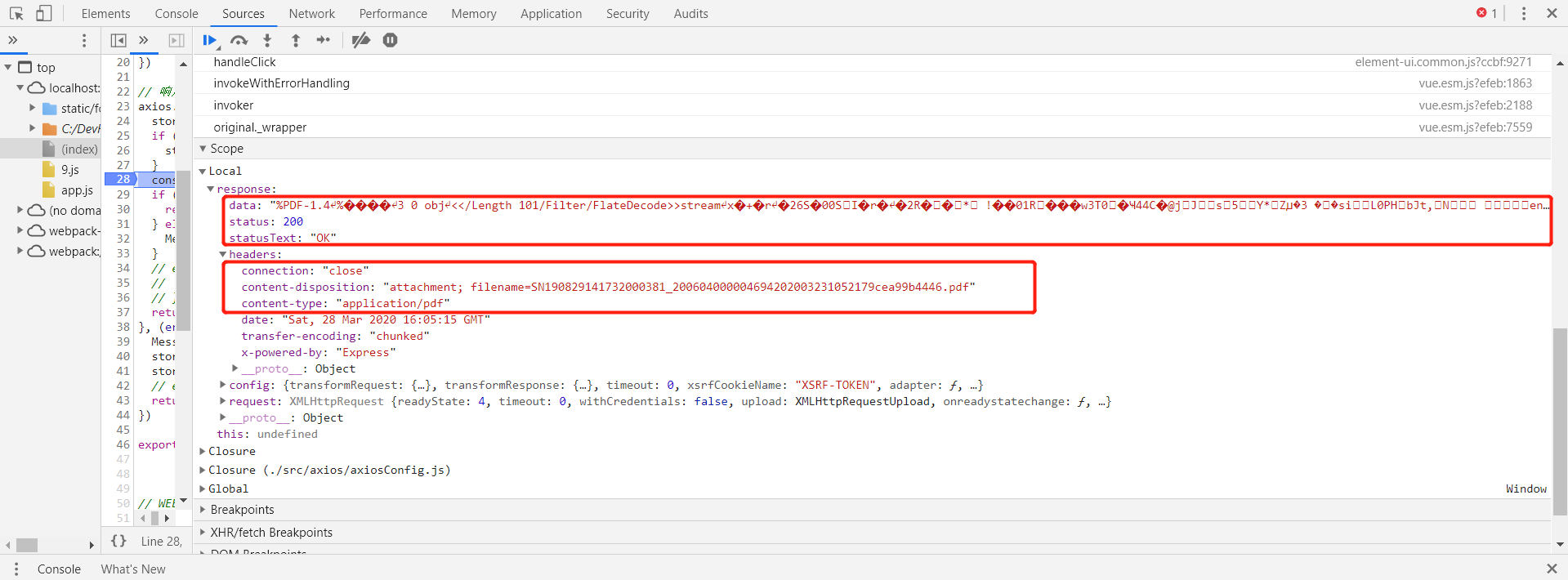
2. Using Blob to Handle File Downloads

Since Axios can’t handle file streams directly, we need a workaround. The Blob object — immutable raw data, essentially a container for binary files — does the job. Here’s how to implement it:

1
2
3
4
5
6
7
8
9
10
11
12
13
14
15
16
17
18
19
20
21
22
23
24
25
26
27
28
29
30
31
32
33
34
35
36
37
38
39
// Download file request
export function download(param) {
return axios({
url: '/web/bill/download',
method: 'post',
data: param,
responseType: 'blob'
})
}

// Entry point for file download
download(this.param).then(response => {
// Execute file download
this.exeDownloadFile(response)
})

// Execute file download
exeDownloadFile(response) {
// Create Blob object
let blob = new Blob([response.data], {type: response.headers['content-type']})
// Extract filename from headers
let fileName = response.headers['content-disposition'].match(/filename=(.*)/)[1]
// Create a URL pointing to the Blob
let href = window.URL.createObjectURL(blob)
// Create an anchor element for the download
let downloadElement = document.createElement('a')
// Configure attributes
downloadElement.style.display = 'none'
downloadElement.href = href
downloadElement.download = fileName
// Append to current page
document.body.appendChild(downloadElement)
// Trigger the download
downloadElement.click()
// Clean up the anchor element
document.body.removeChild(downloadElement)
// Release the Blob URL
window.URL.revokeObjectURL(href)
}

This works, but there’s a catch: if the server returns an error, the Blob will still download a file — just with undefined as the filename. We need to check whether the response is actually an error before proceeding with the download:

1
2
3
4
5
6
7
8
9
10
11
12
13
14
// Entry point for file download
download(this.param).then(response => {
let fr = new FileReader()
fr.readAsText(response.data)
fr.onload = function() {
// Error check: if the Blob can be parsed as JSON, it's an error response
try {
let jsonRet = JSON.parse(this.result)
} catch (e) {
// Execute file download
this.exeDownloadFile(response)
}
}
})
扫描二维码分享